
Getting PDS members name & lines of code
- Subhabrata Datta

- Jul 1, 2020
- 1 min read
How to get the PDS members name and lines of code using PX command
Requirement:
Get the list of PDS members in zos (mainframe OS) and the corresponding lines of members
Solution:
We can do this using PX command
Step 1:
Go to option 3.4, list the PDS files you require.
Put PX in front of the required file.
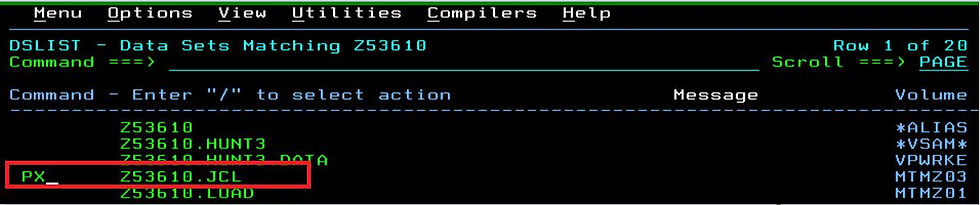
You will get a message 'Index Printed'.
Step 2:
The index will be printed to the latest *.*.SPF*.LIST dataset.
To get the latest LIST dataset, type LIST in the command line.

You can see the latest list dataset as marked in the below screenshot. Choose option 3 and press ENTER so that dataset is not deleted or not replaced while we print something else to the list dataset. (It is also required to be able to View or Edit the list dataset).

You can now browse the dataset or download the file to your workstation & import to excel for required formatting.
The 'member name' and the 'Current no of lines' are what we need

Comments